Documentation Index
Fetch the complete documentation index at: https://docs.octanist.com/llms.txt
Use this file to discover all available pages before exploring further.
Table of Contents
Setup Video
Need help setting up Offline Conversion Tracking for GA4?Watch the video below, it explains all the steps in detail:
1. Overview
The Google Analytics 4 (GA4) integration sends your marked closed, open, and converted leads to Google Analytics 4. This process uses the Google Analytics 4 Measurement Protocol. This server-to-server solution ensures all quantitative lead data is sent to Google Analytics 4 and tied to specific channels. No personal or client data is sent to Google Analytics 4.2. How the Measurement Protocol Works
- “Won” Leads: Whenever a user is marked as a “Won” Lead, the event is sent to Google Analytics 4 along with corresponding parameters (e.g. the value and currency).
- “Open” Leads: When a value is added or updated for an “Open” Lead, the event is sent to Google Analytics 4. The content of the note is passed as the parameter
lead_status. - “Lost” Leads: If a user does not convert and is marked as a “Lost” Lead, the event is sent. The parameter
unconvert_lead_reasoncontains the reason for the lost lead, based on the note content.
3. Setup Instructions
-
In your Octanist account, go to Integrations > Outgoing.
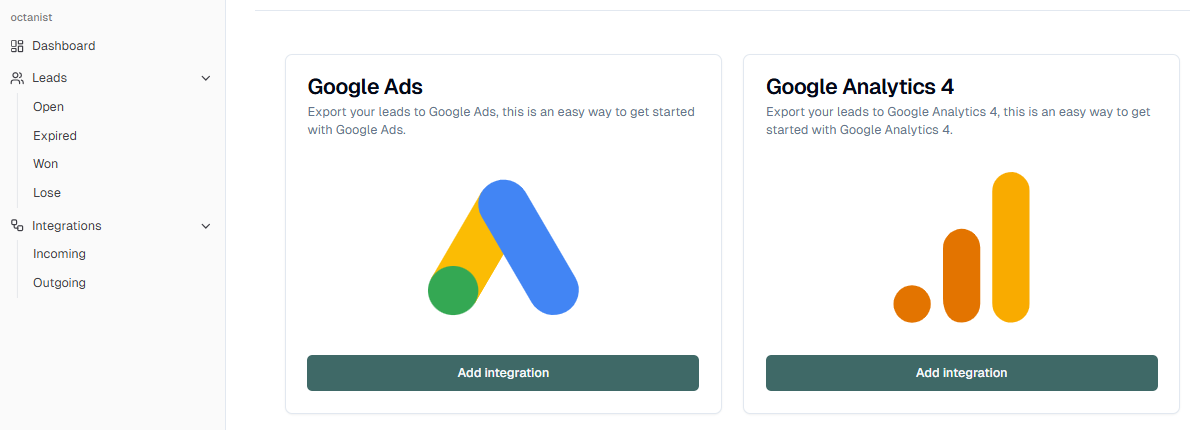
- Select Google Analytics 4.
-
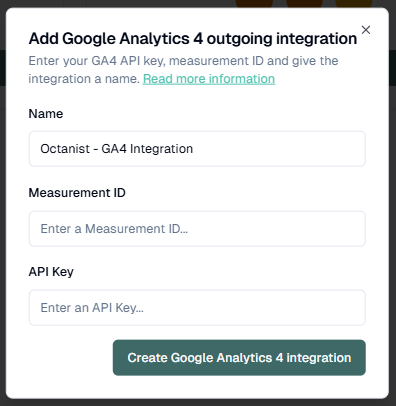
Fill in a name for the integration (e.g., Octanist - GA4 Integration).
-
Enter your GA4 Measurement ID.
-
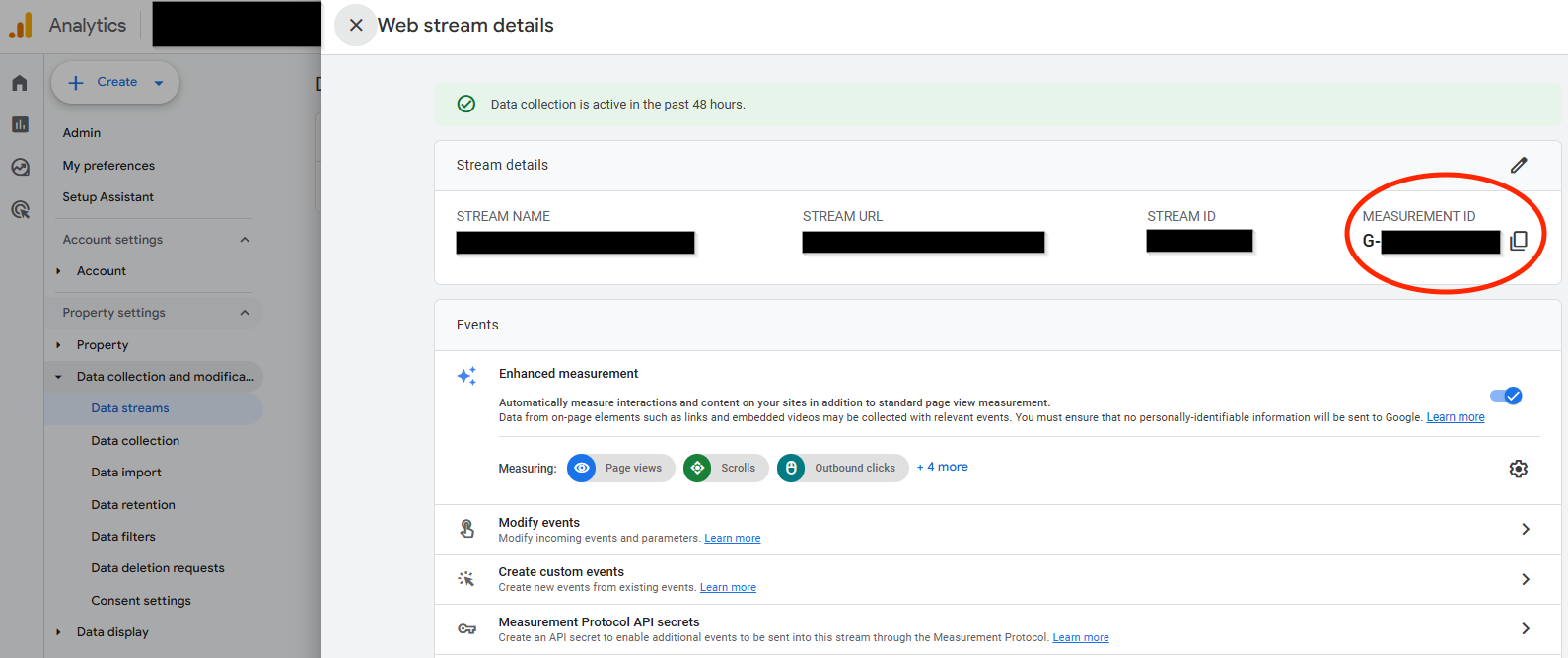
This can be found in your GA4 account under Data Streams. See Google’s guide for details.
-
This can be found in your GA4 account under Data Streams. See Google’s guide for details.
-
Enter your GA4 API Key:
- In your GA4 Data Stream, click Measurement Protocol API Secrets (you must have administrator access).
- If still required, press ‘Review Terms’ and then press ‘I Acknowledge’ after reading the User Data Collection Acknowledgment.
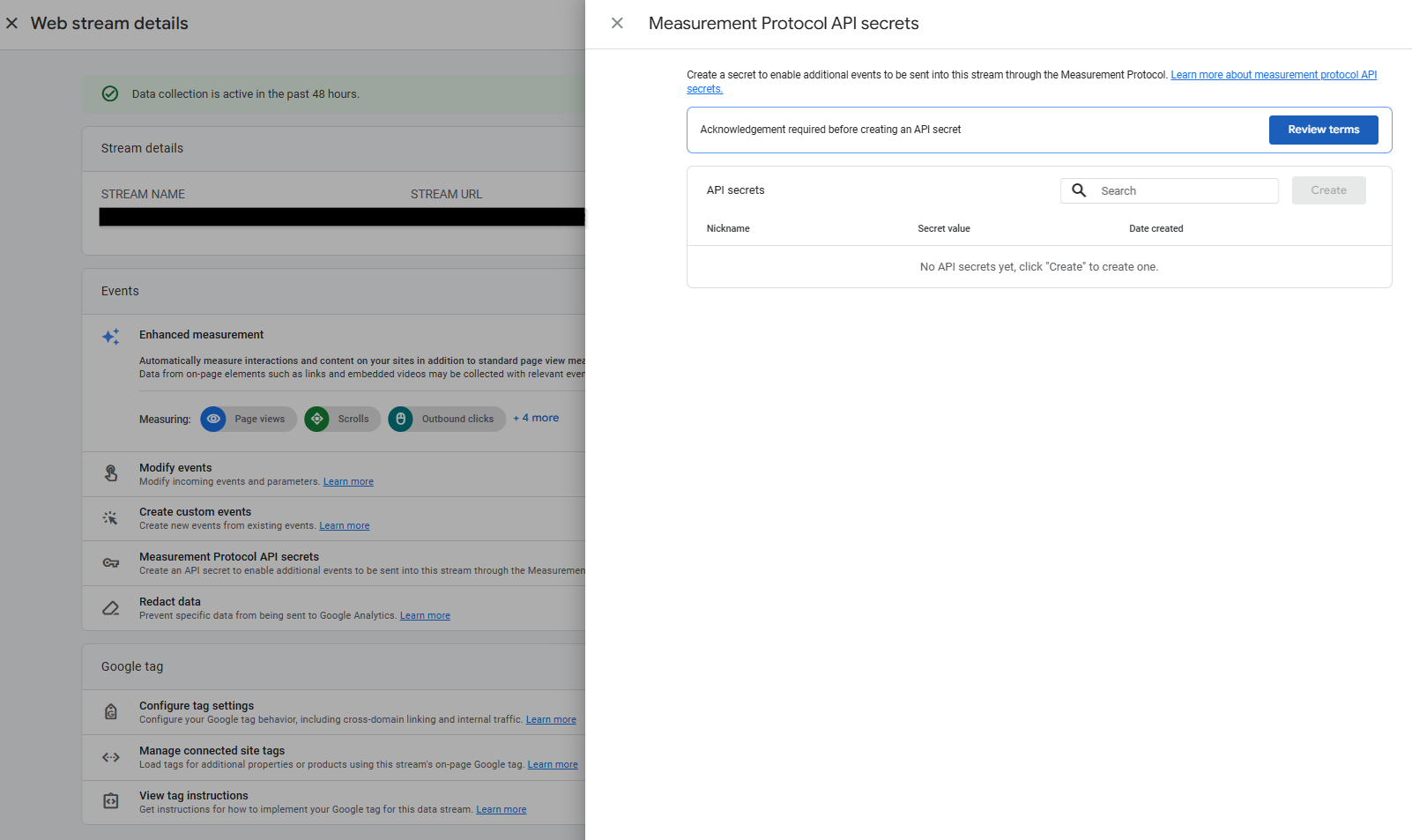
- Create a key and give it a clear name (e.g., Octanist - GA4 Integration).
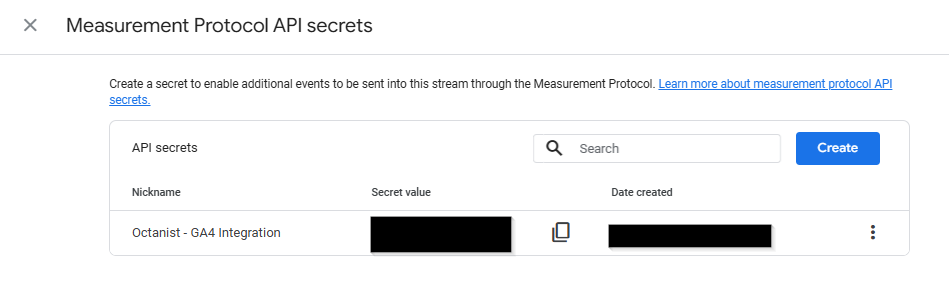
- Click Create Google Analytics 4 Integration.
- Qualified = working_lead
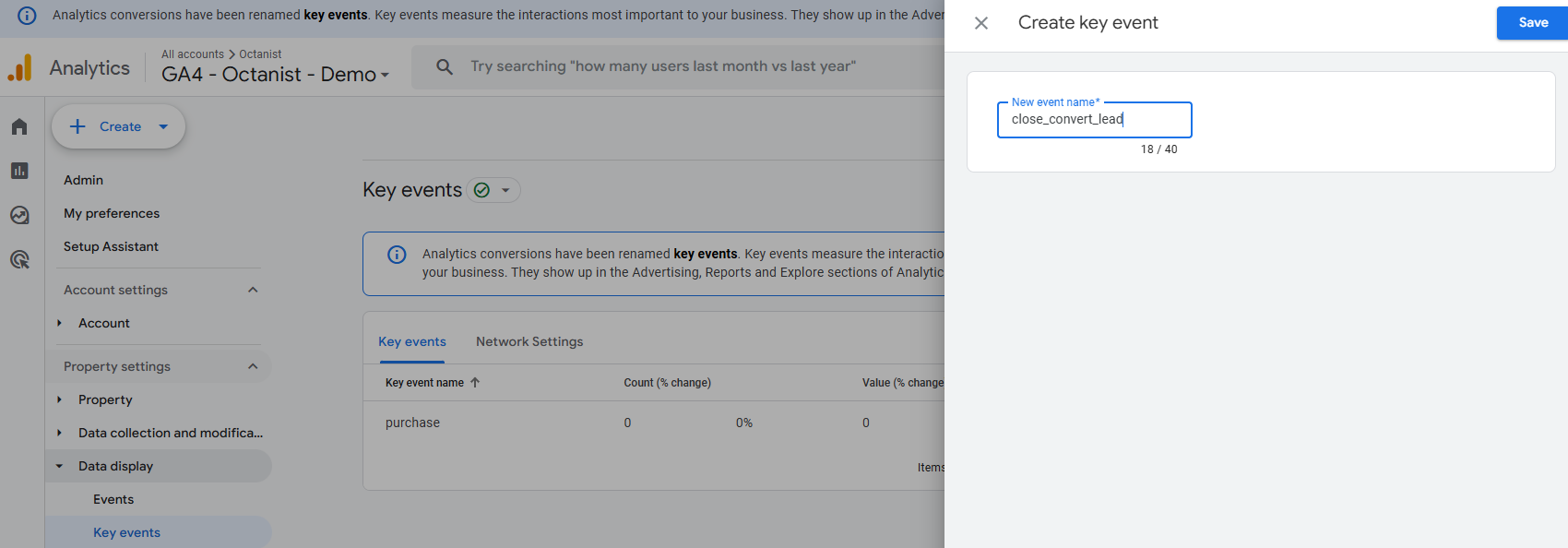
- Won lead = close_convert_lead
- Lost Lead = close_unconvert_lead
4. Additional reporting in Google Analytics 4
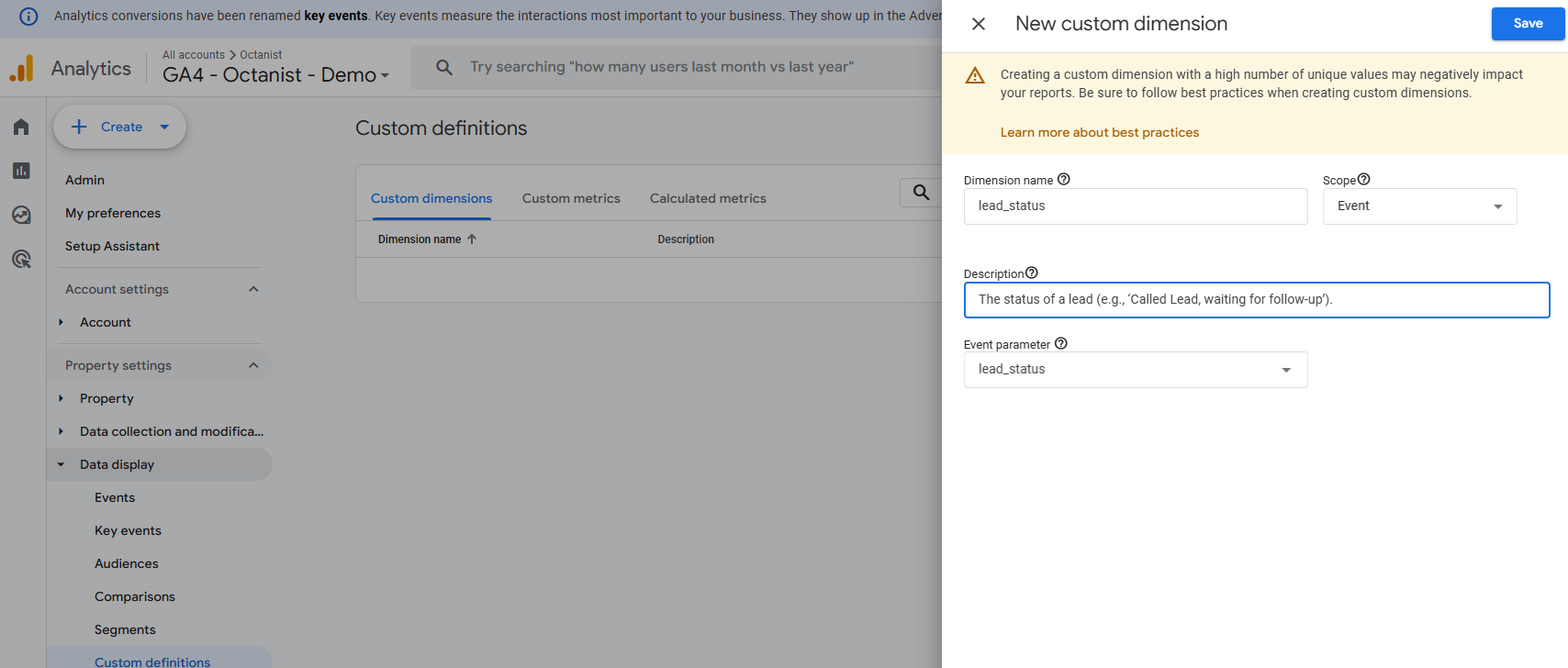
Add the custom dimensionslead_status and unconvert_lead_reason to view the text values of your notes entered in Octanist.
Enter the custom dimensions as follows:
- Dimension Name: The name of the dimension (e.g.,
lead_status; you can name this as you prefer). - Description: A description of the custom dimension (e.g., “The status of a lead (e.g., ‘Called Lead, waiting for follow-up’).”).
- Event Parameter: This must be
lead_statusorunconvert_lead_reasonfor Octanist Insights.
close_convert_lead event as a Key Event (Conversion) in GA4. This will help you better understand the user journey and simplify reporting.